
Bebefinn Town: Kids House Game
The Pinkfong CompanyEducational
3.017.00 Reviews
- Version
- 3.5
- Installs
- 500.00K
- Age Rating
- Everyone
Screenshots

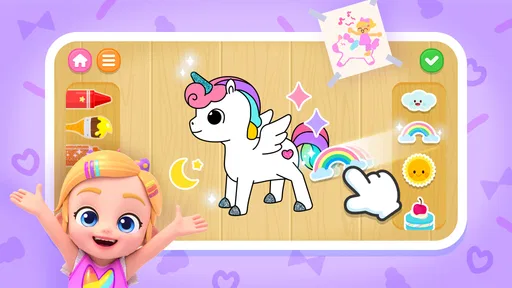
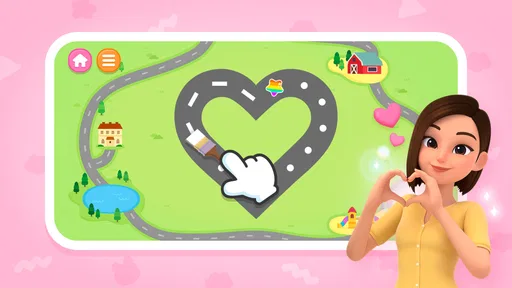
Our Review of Bebefinn Town: Kids House Game
 Analysis by Appyee
I’ve found that the first challenge with a young child’s game is often not choosing an activity but helping a child understand how to move around without tapping everything at once. Bebefinn Town: Kids House Game is built around a small town and its themed houses, so the setting gives children a simple idea of where to go next. Even so, I’d sit with a first-time player for a few minutes and let them explore at their own pace. That small introduction can make the difference between a calm play session and a child repeatedly asking what to do.
Where children may get stuck
The open, colorful layout is inviting, but young children don’t always read a screen as a set of choices. A child who is used to one-button games may tap an object and expect an immediate result, then lose interest if they don’t understand what the activity is asking. I’d demonstrate one action, such as choosing an instrument or starting a pretend cooking task, and then hand control back rather than completing the activity for them.
This is also a useful game for short, supervised turns rather than an assumption that it will keep every child occupied indefinitely. Some children will happily revisit a favorite house; others may want an adult to help them move between activities. If your child becomes frustrated, try narrowing the choice: ask whether they want the music or cooking activity instead of asking them to pick from the whole town.
A sensible first session
Before handing over the device, I’d check that it has enough battery, that the screen is responsive, and that the game has finished opening. Those are ordinary preparation steps, not special requirements of this title, but they avoid blaming the activity when a nearly drained device or a slow start is the real problem. A quick adult-led look around also helps you decide whether the current activity is a good fit for the child’s age and attention span.
For a toddler, keep the first visit brief and stay nearby to explain what a tap does. An older preschooler may be ready to choose a house and try an activity more independently. The game carries an Everyone age rating, but that doesn’t mean every child will navigate it alone; age labels describe content suitability, not whether a child will need help understanding the controls.
Getting a session back on track
If play seems to stall, I’d first give the game a moment, then check whether the device itself is responding normally. If taps are being missed across the screen, clean the display and try again; if other apps are also sluggish, close what you don’t need and restart the device before treating it as a game-specific problem. For a child, a short pause and a fresh attempt are usually better than repeatedly tapping in frustration.
It helps to make recovery part of the routine: tell the child to stop tapping, wait with you, and then try one clear action. If the same activity continues to cause trouble, switch to another house and come back later. That gives the child a sense of choice without turning a minor hiccup into a long troubleshooting session.
When a different explanation fits better
Not every disappointing session means the game is broken. A child may be tired, overstimulated, or simply not interested in the activity available at that moment. I’d also distinguish a preference from a technical issue: if the child can move around but doesn’t enjoy a particular house, choosing another activity is more sensible than restarting the game repeatedly.
For downloads or installation, use the official app store on the device and check the device’s available storage and operating-system compatibility. The game is listed for devices running Android 8.0 or later. If an install is interrupted, checking the connection and trying again through the store is a reasonable first step; avoid unfamiliar download sites, especially when setting up a device for a child.
Welcome to Bebefinn Town
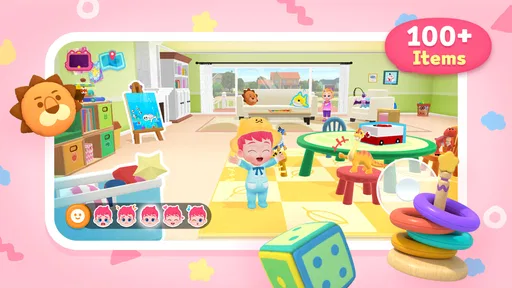
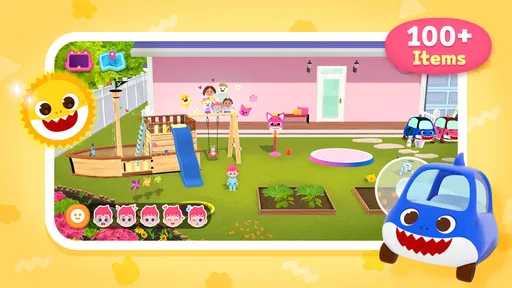
Imagine a vibrant town bustling with adorable characters and endless adventures. That's exactly what Bebefinn Town: Kids House Game offers. It's designed to capture the curiosity of young minds, and trust me, it does a fantastic job. The app is set up like a mini-world where kids can navigate through different houses, each packed with engaging activities.
Fun-Filled Houses
Each house in Bebefinn Town is themed and full of surprises. There's a house for cooking, another for music, and even one for art. My little nephew couldn't get enough of the music house, where he could mix and match instruments to create his own tunes. It's like having a tiny DJ station right in your pocket!
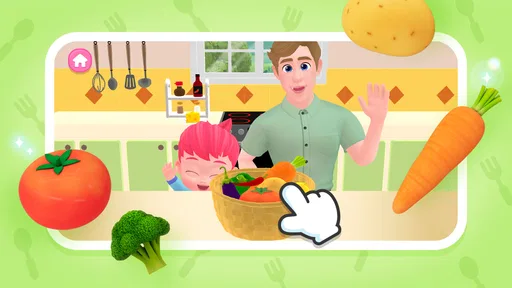
The cooking house was another favorite. It's designed to teach basic cooking skills through fun mini-games. Kids can pretend to be chefs, whipping up delightful dishes with just a few taps. The best part? No real kitchen mess to clean up.
Interactive Learning
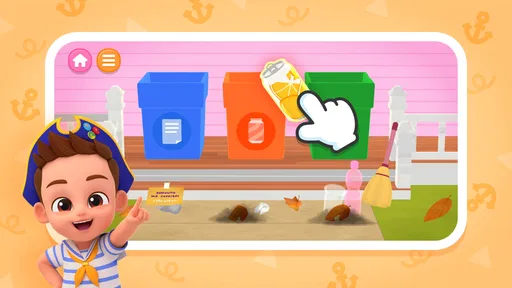
What sets this app apart is its focus on interactive learning. Each activity is crafted to boost cognitive skills while keeping the fun quotient high. It's like sneaking veggies into a kid's meal—they're learning without even realizing it.
From identifying shapes and colors to enhancing memory skills with matching games, the educational value of Bebefinn Town is impressive. The app is also great for improving hand-eye coordination, thanks to its interactive design.
Safety First
As a parent or guardian, safety is always a priority. Bebefinn Town excels here, offering a kid-friendly interface that's easy to navigate. The app is ad-free, ensuring a distraction-free environment. Plus, there's no need to worry about in-app purchases sneaking up on you. It's a safe space for kids to explore and learn.
Graphics and Sound
The visuals in Bebefinn Town are nothing short of enchanting. Bright, cheerful colors and cute characters make it irresistible for kids. The animations are smooth, adding to the overall charm. And let's not forget the sound effects—upbeat and catchy tunes that complement each activity perfectly.
Even as an adult, I found myself humming along to the background music. It's upbeat without being overwhelming, striking the perfect balance to keep kids engaged without overstimulation.
Easy Navigation
One of the standout features is the app's intuitive navigation. Kids can easily switch between houses and activities, fostering independence. The layout is designed to be user-friendly, ensuring that even the youngest users can find their way around without assistance.
The app also offers multiple language options, making it accessible to a global audience. It’s a fantastic way for children to pick up new words and phrases in different languages.
What the free download means in practice
The game is free to download, and the current version is 1.7. The Pinkfong Company is the developer. I would still treat “free” as the starting point rather than a promise that every part of the experience is unlocked at no cost: in-app purchases are listed, ranging from $8.99 to $109.99 per item. That range is broad enough that I’d review purchase settings with the adult before a child plays, and avoid leaving a payment method readily accessible if the device is shared.
That’s a practical distinction for parents comparing children’s games. A free download can be an easy way to test whether a child likes the characters and play style, but it does not automatically make the full experience free. Before handing over the phone, I’d look at the purchase controls available through the device’s store settings and decide what the child can access. I wouldn’t assume that an enthusiastic reaction means an upgrade is necessary.
A good fit for a short everyday window
I can picture using this during a quiet stretch before dinner: a child chooses the music house, experiments with sounds, then moves to pretend cooking while an adult prepares the real meal nearby. That’s a more realistic use than expecting the game to replace a craft activity, a story, or adult attention. A parent can turn the cooking play into a conversation—“What might we make next?”—without needing the game to function as a formal lesson.
For travel, it may work as a familiar distraction once the child already understands the basic layout. I’d introduce it at home first, when there’s time to help, rather than opening it for the first time in a waiting room or car. This is a small but useful trade-off: a known favorite activity is easier to hand over on the go, while a new game can demand more adult help at exactly the wrong moment.
How it differs from other learning games
Many early-learning apps are organized like a sequence of lessons, quizzes, or standalone puzzles. Bebefinn Town’s appeal is instead the make-believe setting: children move among houses and encounter activities through a town they can explore. That can suit a child who responds better to pretend play than to a screen that feels like a worksheet. The music and cooking examples also give adults easy ways to connect screen play with everyday topics.
The trade-off is that a child looking for a clear curriculum or a visible progression through lessons may prefer a more structured educational app. Likewise, if the goal is practicing one specific skill repeatedly, a focused puzzle or learning tool may be easier to manage than moving between themed activities. I’d choose this game for variety and imaginative play, not as a substitute for a teacher, a full learning plan, or hands-on time away from the screen.
Who will enjoy it—and who may not
I’d recommend giving it a try for a preschool-age child who likes familiar animated characters, role-play, and changing between different kinds of activities. It can also be a useful shared activity when an adult wants to prompt a child to notice colors, shapes, sounds, or simple choices. The game’s 100K+ installs and 3.7 average rating suggest that families have tried it, but neither figure can tell you whether its pace and style will suit your particular child.
I’d be less inclined to choose it for a child who becomes frustrated by exploratory interfaces, for a family wanting a completely purchase-free digital activity, or for anyone seeking a clearly sequenced educational course. The age rating is Everyone, but younger children may still need supervision, and the best measure is how your child responds during a brief first session. If they are engaged and can move between activities without becoming overwhelmed, it is more likely to earn a place in your rotation.
Practical verdict
Overall, Bebefinn Town: Kids House Game is most appealing as a cheerful, character-led place for short bursts of pretend play with learning mixed in. I like the contrast between music-making and cooking activities because it gives a child more than one way to engage, while the town structure makes exploring feel more inviting than opening a set of unrelated exercises. Its strongest use is as a supervised option for a child who enjoys imaginative digital play.
I would keep expectations measured: it is not a replacement for real-world play, and its free download deserves a quick look at purchase settings before a child uses it alone. The game has a 3.7 average from 88 ratings and 3 reviews, which is a modest response rather than a guarantee of quality for every family. For me, the sensible approach is to try a short session together, watch which house holds the child’s interest, and decide from that experience whether it fits your routine.
As a final practical check, confirm the device can run it and that the adult is comfortable with the available purchase options; then let the child explore one activity at a time. The game was released on February 1, 2026, and carries an Everyone age rating. If you want an approachable mix of pretend play and early learning—and are happy to stay involved at the start—I think it is worth considering. If you need a structured course or a no-purchase environment, another option will fit better.
Privacy and Permissions
See what permissions an app requests and how it handles your data.
- Camera
- take pictures and videos
- Wi-Fi connection information
- view Wi-Fi connections
- Other
- view network connections, full network access, control vibration, prevent device from sleeping, Google Play license check
Verdict
Strengths of Bebefinn Town: Kids House Game
- Engaging and colorful graphics for kids
- Educational mini-games enhance learning
- User-friendly interface for young users
- No in-app purchases offer peace of mind
- Encourages creativity and imagination
Limitations of Bebefinn Town: Kids House Game
- Limited content can become repetitive
- Requires constant internet connection
- Some features are locked initially
- Ads might interrupt gameplay
- Adult supervision is occasionally needed
Other Releases by The Pinkfong Company
View All
Pinkfong Baby Shark: Kid Games
Education3.4

Pinkfong Tracing World : ABC
Educational3.9
Similar Picks in This Category
View All
Little Panda Policeman
BabyBus4.0

Monster Trucks Game for Kids 2
Raz Games4.1

Little Panda's Chinese Recipes
BabyBus4.4

Little Panda's Restaurant
BabyBus4.4

Little Panda's Ice Cream Games
BabyBus4.3

Baby Panda Care
BabyBus3.8
Frequently Asked Questions
What is Bebefinn Town: Kids House Game about?
Bebefinn Town: Kids House Game is an engaging and educational game designed for children. It allows kids to explore a virtual town filled with interactive houses and activities. The game focuses on creativity and learning, providing a safe environment where children can develop problem-solving skills and engage in imaginative play.
Is Bebefinn Town: Kids House Game safe for children?
Yes, Bebefinn Town: Kids House Game is designed with children's safety in mind. It contains no in-app purchases or ads, ensuring a secure and distraction-free experience. The game also includes parental controls, allowing parents to manage screen time and monitor their child’s progress within the app.
What age group is Bebefinn Town: Kids House Game suitable for?
Bebefinn Town: Kids House Game is ideally suited for children aged 3 to 8 years old. The game features age-appropriate content and activities that support developmental milestones. Its colorful graphics and simple interface make it easy for young children to navigate and enjoy.
Can Bebefinn Town: Kids House Game be played offline?
Yes, Bebefinn Town: Kids House Game can be played offline. Once downloaded, all the features and activities are accessible without an internet connection. This makes it a convenient option for parents looking to entertain their children during travel or in areas with limited connectivity.
What kind of activities are available in Bebefinn Town: Kids House Game?
Bebefinn Town: Kids House Game offers a variety of activities including puzzles, dress-up games, and storytelling. Children can explore different houses, each with unique themes and challenges. The game encourages creativity and learning, allowing kids to engage in role-playing and develop social skills.
Play our best games!


